Contact us
Our Customer Service Team are standing by from 8:30am to 5:30pm, Monday to Friday, waiting on your call, live chat, or email.
Find Quick Answers
Top Contact Reasons
How do I renew my address service(s)?
Your address service(s) will renew automatically, so you don't have to worry about this.
If you have an annual address service, you will receive a reminder email 3 to 7 days prior to the expiry date. No action is required and your renewal fee will be collected on the expiry date using the debit / credit card details we currently hold for you. Within this email you will also get the chance to check and update your card details, or add a new card.
If you wish to discuss the renewal of your address service(s), please call our Services Manager Angus Park on 020 8036 5037, and he will be happy to assist you.
How long does the company formation process usually take?
It usually takes 24 hours to form a limited company, although it can take longer, dependent on Companies House workload on the day.
If it is important that your company is formed quickly, we provide a Same-Day Incorporation Service for £79.99, which can be purchased at checkout with any package. This service is available until 12 noon GMT, Monday-Friday. Incorporation on the same day is dependent on us receiving all relevant ID information for the company by 2pm of the same day, and we are not liable where we are not provided with the required information by this time.
Can I get an update on when my company will be formed?
Once we send your company application to Companies House, we cannot get any information on its progress - we just have to wait for it to be successfully incorporated or rejected.
As soon as it is incorporated, we will send your company documents to you by email. If in the event it is rejected, we will deal with it immediately and be in touch with you if necessary.
How do I get my free domain name?
Details of your free .com or .co.uk domain name will be sent to you by email, as soon as your company is incorporated. Within the email message is a link to claim your free .co.uk or .com domain name with IONOS. The discount will automatically be applied at checking when using the link provided.
What package do I need?
First of all, you will need to ascertain what your requirements are:
- What type of company do you need - limited by shares, limited by guarantee or LLP?
- Is it a priority to keep the price as low as possible?
- Do you need presentable printed documents, or will email versions suffice?
- Do you need VAT registration?
- Are you a non-resident of the UK?
We recommend visiting our compare packages page and having a look at our available company formation packages. If you need any help, please feel free to talk to our customer service team at 020 3897 2233.
What is the difference between the address services you offer?
We have created a useful guide which explains the difference between our address services. Please see our Company Addresses Explained guide for more information.
Do you offer accountancy services?
As we are not accountants, we are unable to provide accountancy services.
What is the procedure for opening a business bank account?
UK residents
During the order process, you will be presented with a number of our banking partners who offer a business bank account referral for your company, including Barclays, Natwest, Monzo, Tide and HSBC.
As soon as your company is incorporated, your chosen bank will contact you directly so you can open your business bank account.
Your bank account will be opened within either a few minutes or a few days, depending on which bank you have chosen.
Please note: This is a referral service only, and an offer of a business bank account is not guaranteed and not all applications are successful. All directors and shareholders in the company (or partners in your new LLP) must be UK residents.
Non-UK residents
If you purchase the Non-Residents Package you will receive referrals to business account providers for overseas customers, which will allow you to open a UK bank account without needing to visit the UK.
Alternatively, you can add these referrals at the end of the order process when purchasing the All Inclusive Package.
How do I add a new payment card?
You can add a new card to your account by following the instructions below:
- Login to your customer account.
- Select 'Card Management' on your Customer Dashboard.
- Agree to the terms and conditions and select 'Set up Payment Authority'.
- Enter your preferred payment card details. Then select 'Pay Securely'.
- Once through the secure checkout, the payment card details you have entered have now been saved as the Primary Card.
Please note, during secure checkout, your payment app may state an amount of £1.00 is paid to us; however, please be assured this does not actually happen, as the £1.00 is refunded before it leaves your account.
What does 'mail received' not covered by your service' mean?
This email is sent when a customer has at least one address service, but we have received mail for their company which is not covered by this address service(s).
To clarify what each address service covers:
Registered Office Address Service covers mail addressed to your company, from all government departments and Court documents.
Service Address covers mail received from all government departments and Court documents, where the mail is addressed to a company officer (director or company secretary).
Business Address Service covers mail addressed to your company from any sender other than those listed above, e.g., general business correspondence, banks, suppliers, partners, and customers, etc.
To check which address service(s) you have, select 'My Services & Renewals' in the Customer Dashboard.
How do I close down (dissolve) my company?
We offer Company Dissolution Service to all companies (as long as they have not traded in the last 3 months) which costs £89.99 +VAT.
If the company has traded, you will have to make sure all filing is up to date with Companies House and HMRC and all taxes are paid. We would recommend the use of an accountant.
I've changed my home address - how do I update my details?
To update your home address on our system, please carry out the following steps for each of the Primary address, Billing address and forwarding address (if you have active address services):
Primary and Billing Addresses
- Login to the Online Customer Area
- On the Customer Dashboard, select 'My Details'
- Under 'Postal Address', select 'Choose Another' next to the Primary address
- Select a recently used address or select 'Add New Address'
- Click 'Submit' if adding a new address
- Repeat for the Billing address
Forwarding Addresses for address services
You must carry out the below steps for each active address service you have:
- Login to the Online Customer Area
- On the Customer Dashboard, select 'My Services & Renewals'
- Select one of your address services marked as 'Active' and click 'Details'
- Click the Pencil icon next to 'Forwarding Address'
- Select a recently used address or select 'Add New Address'
- Click 'Submit' if adding a new address
- Repeat these steps for all address services marked as 'Active'
Need Help?
For quick answers, useful resources, and support, our Help Centre is the best place.
Not found what you are looking for?
If you can’t find what you’re looking for in our Help Centre, get in touch by live chat, phone, or email and we’ll be happy to help.
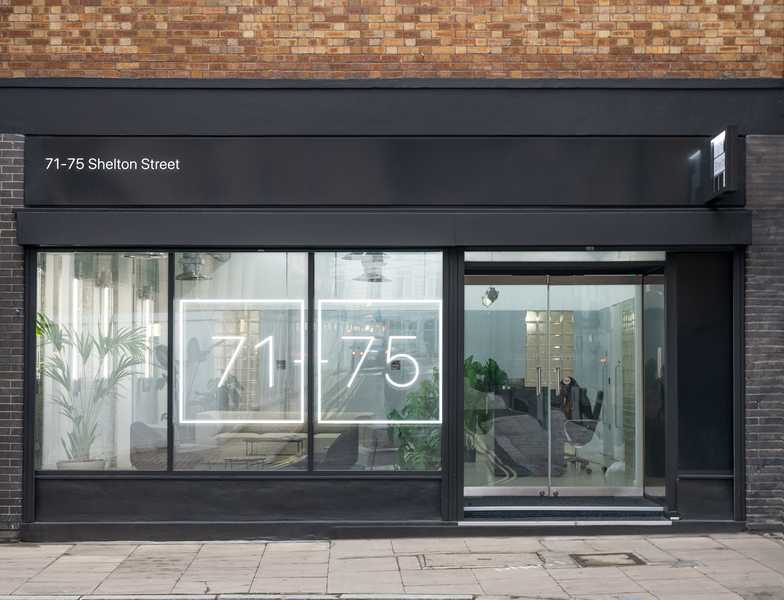
Our London Office